TL;DR
WHY
To help the live touring industry work show days with ease
WHAT
A multi-platform suite of products
HOW
An entire mobile app redesign, a new product, a rebrand, and a dream 💭
Role
I joined Eventric as their first full-time designer in almost 20 years, and for two years I was the only UX designer at the company. My work included redesigning the mobile app for Master Tour, their touring and live event logistics software, used by tour managers to coordinate shows and by crew members to check travel times, guest lists, set lists, and other day-of details on the road.
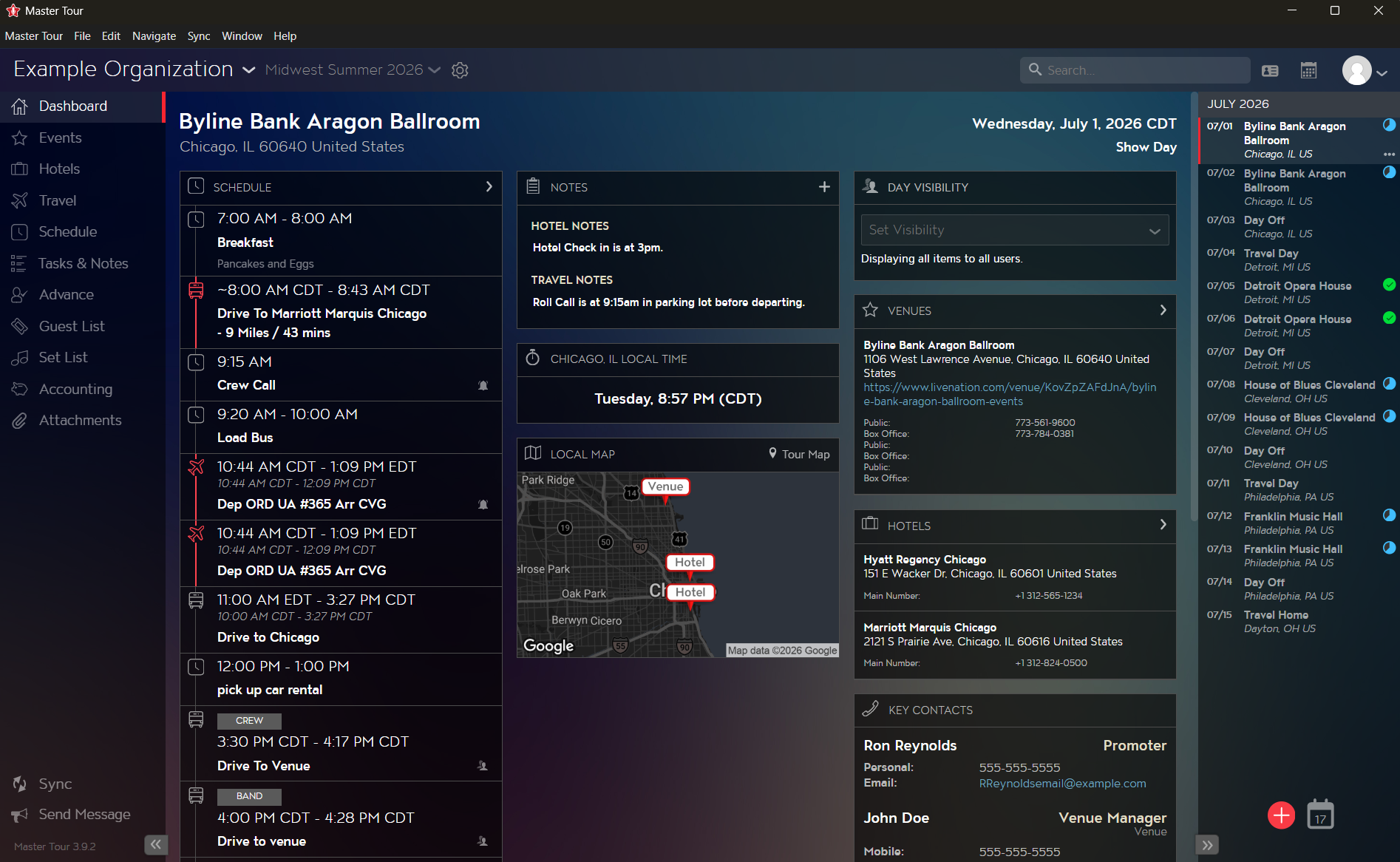
Master Tour Desktop: Dashboard
MASTER TOUR Desktop and mobile
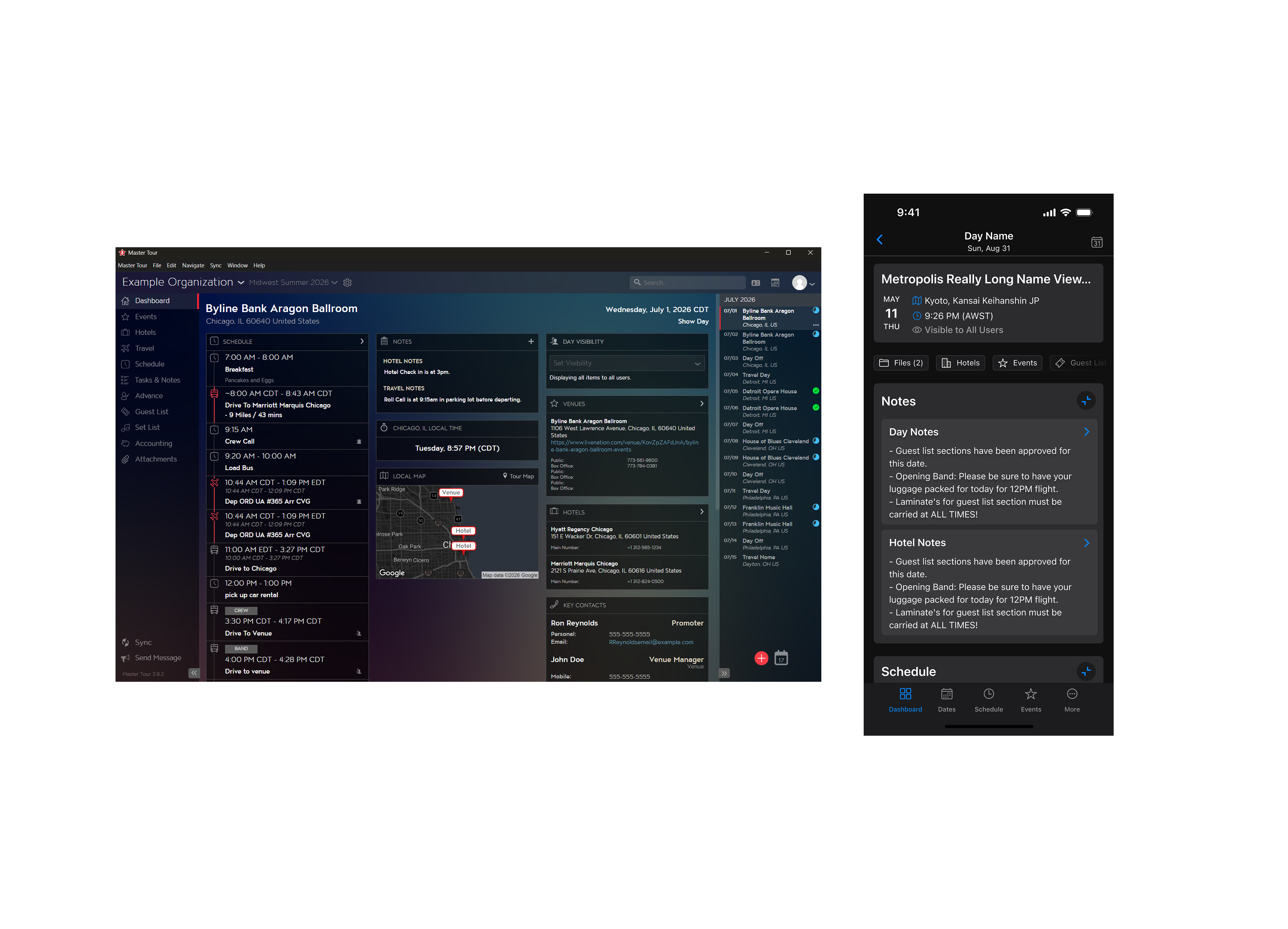
Master Tour is split across two apps. Tour managers are the paying customers, with over 6,000 monthly subscriptions, and they use both the desktop and mobile apps. Crew members and everyone else on a tour use the mobile app for free once a tour manager adds them to their organization. That's how mobile reached over 60,000 monthly users, about ten for every paid subscription.
Neither app had a source of truth in Figma. The only reference for how either one worked was the live build itself. That gap was a big part of why we redesigned mobile, since it's the one app every user touches.
Redesign scope
The mobile app hadn't seen a real update since it launched, seven years earlier. Information was buried several taps deep, and our most requested feature was simply more editing ability on mobile. Over seven months I rebuilt the app's UX and information architecture from scratch, using Forma 36 as a base design system since none had existed before. This was also the first source of truth the team had ever had outside of live builds, which meant building out a real design and prototyping process alongside the redesign itself.
The app used to drop everyone onto a list of dates. We added a Dashboard so mobile would feel closer to what tour managers see on desktop. Before the public release, we ran a limited beta with 20 power users, and I interviewed 15 of them. Tour managers kept raising the same worry: with the Dashboard's horizontally scrolling cards, crew could easily miss key details. I reworked it into a vertical layout with collapsible sections before launch.
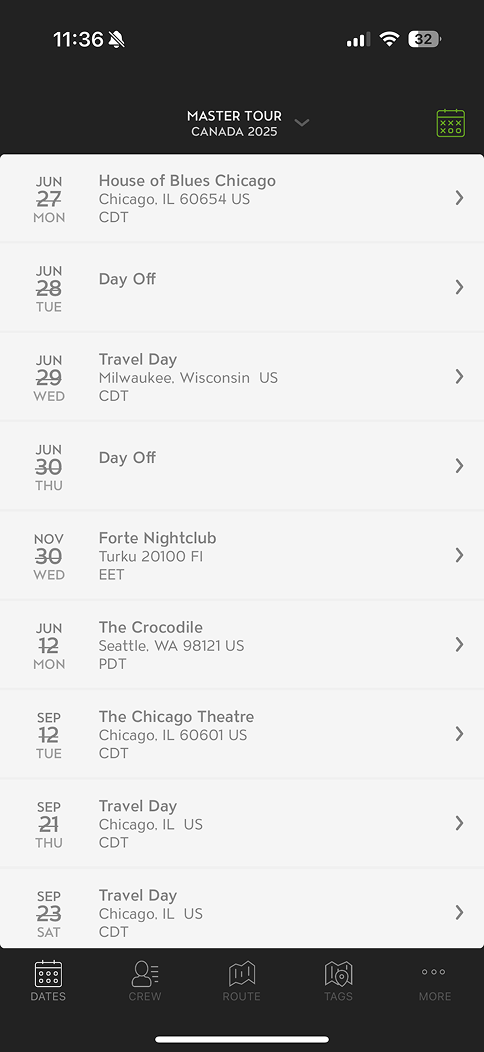
Original: Dates

Draft: Dashboard
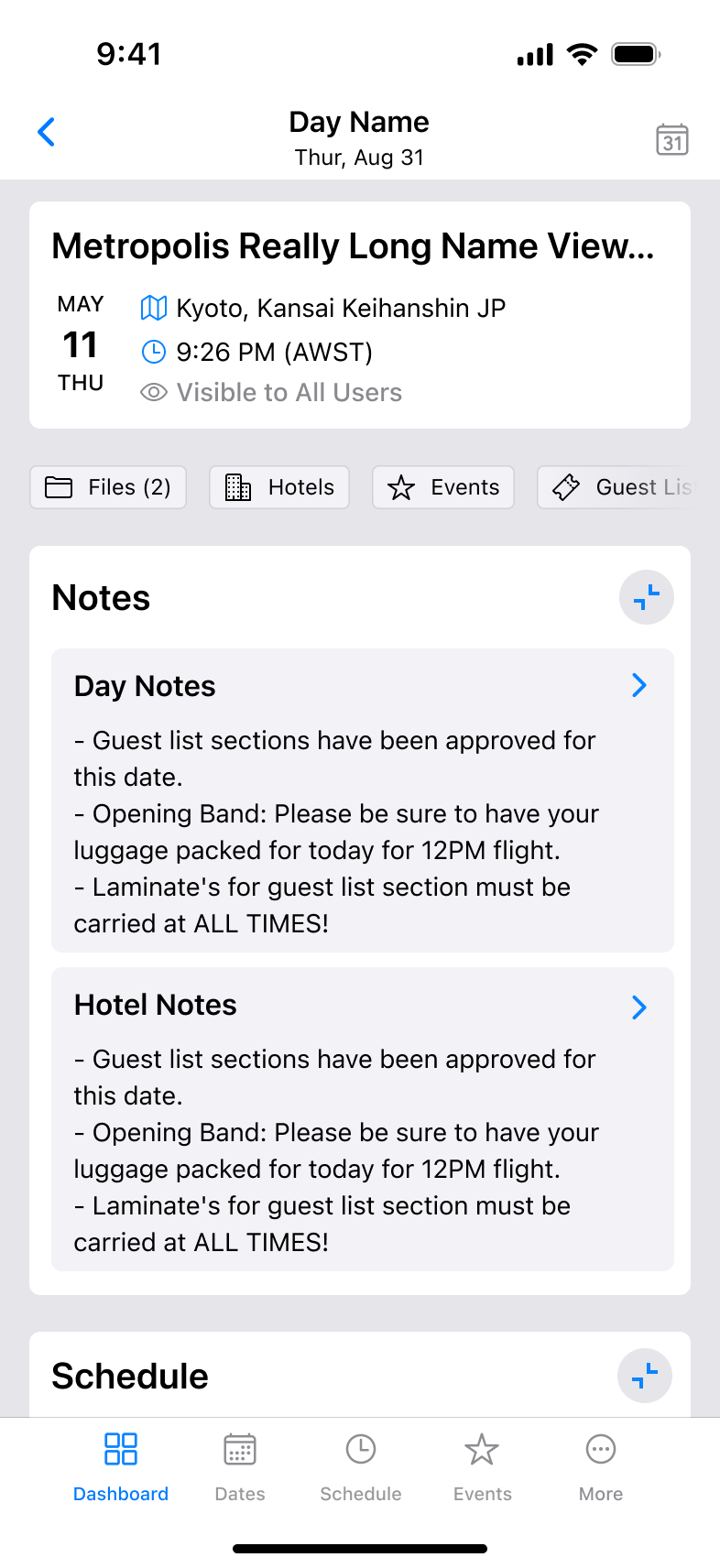
Released: Dashboard
Before, mobile users could only open files attached to a specific date. Files now shows tour and organization files alongside the day's files, and the list can be filtered. Both were new to mobile.
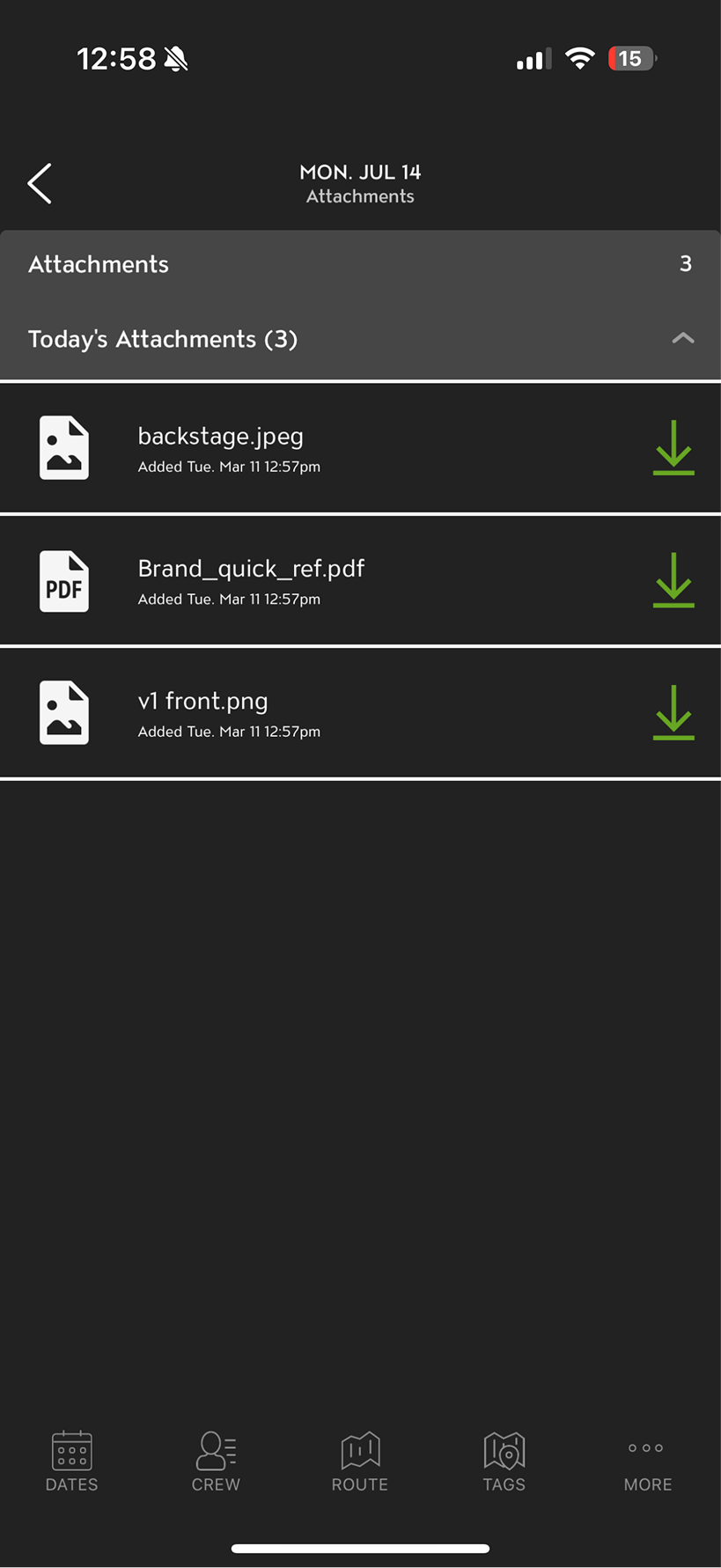
Original: Attachments
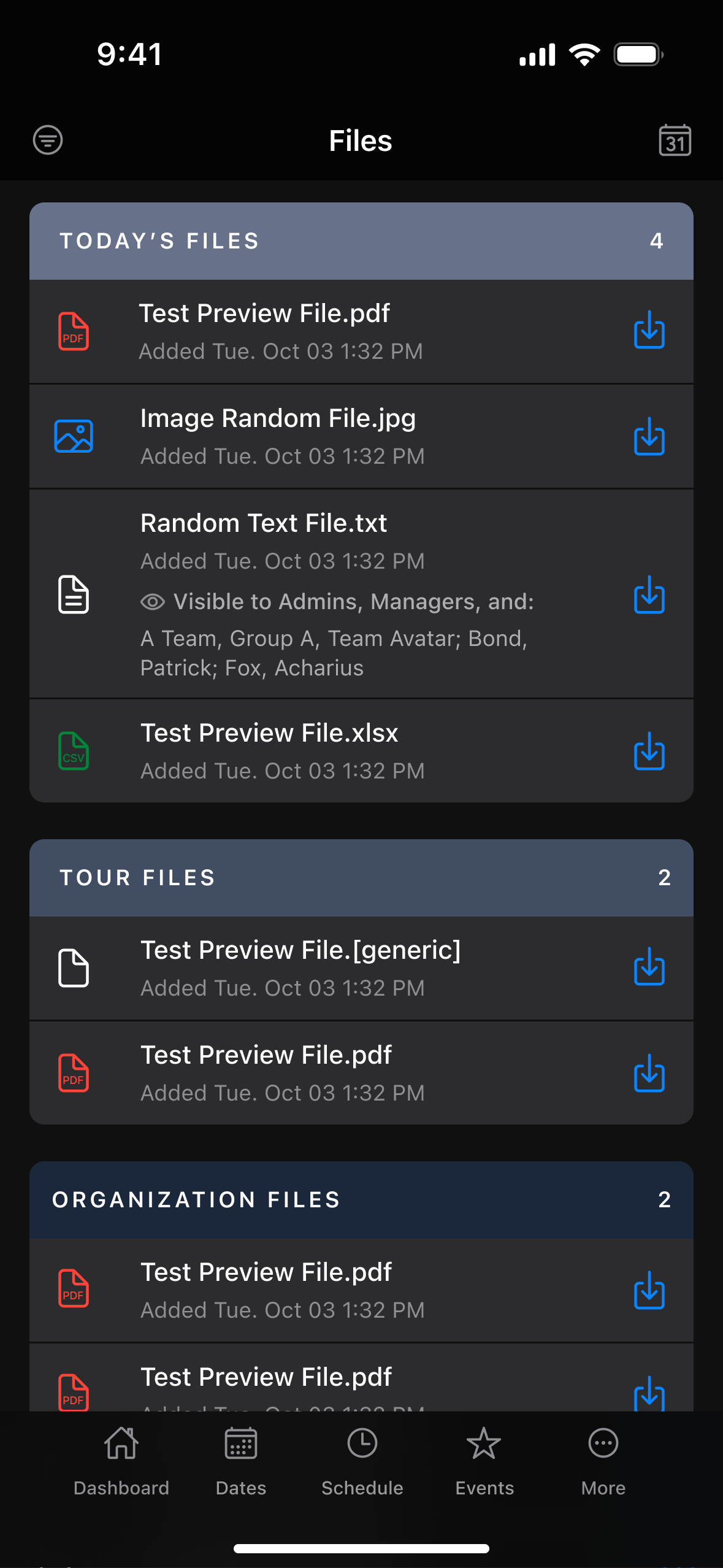
Redesign: Files
The original app ran on tablets but rarely scaled to fit them. The redesign uses the extra space, splitting Files into two columns in both portrait and landscape.
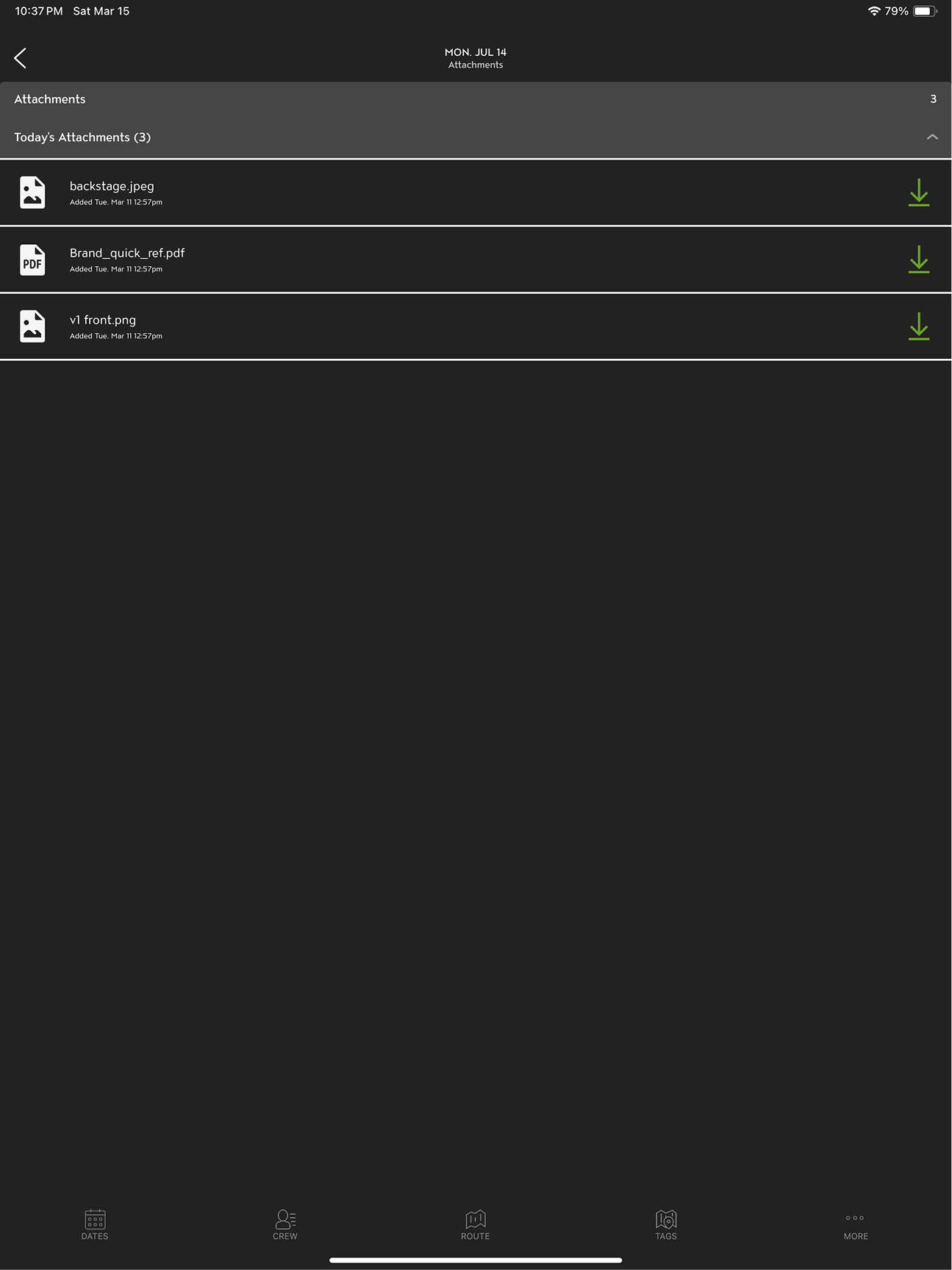
Original: Attachments
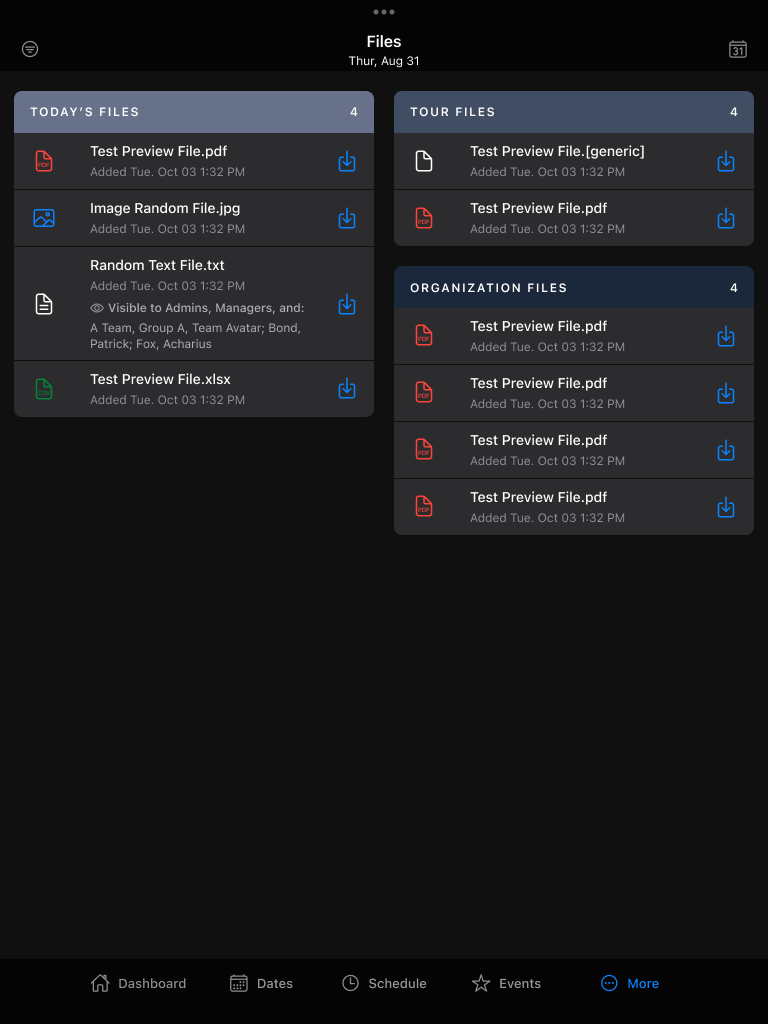
Redesign: Files, portrait
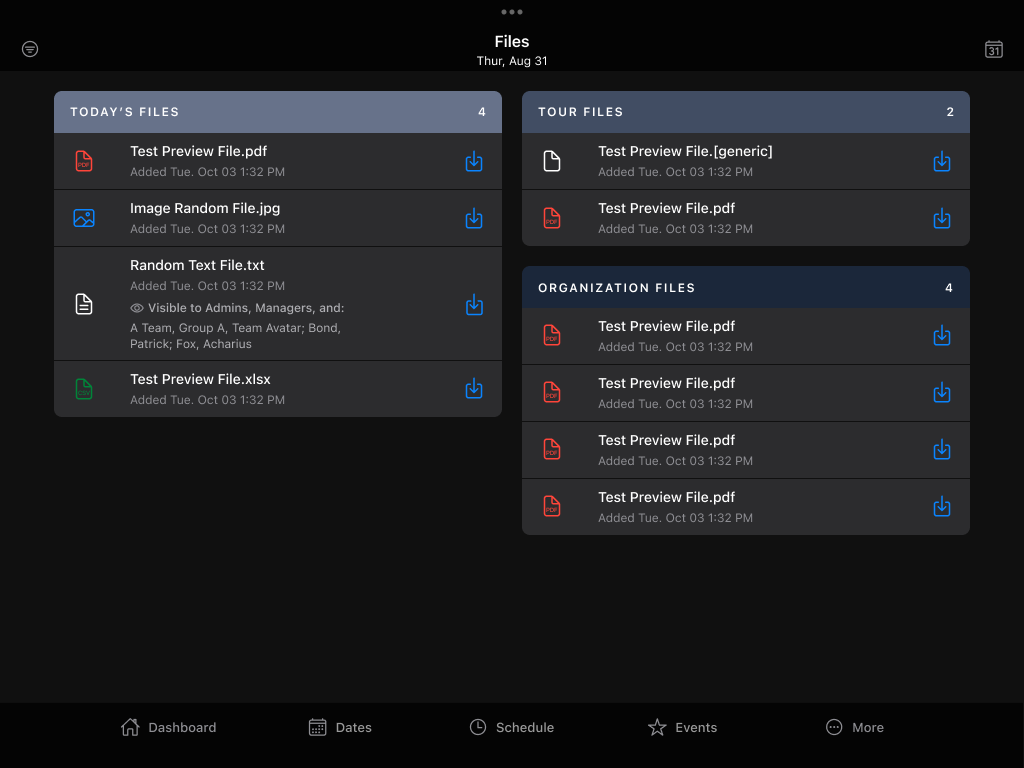
Redesign: Files, landscape
Customizable navigation
Different roles lean on different parts of the app. Some users only ever submit guest list requests, for example. The original bottom nav had four fixed tabs, and a lot of information sat at least four taps deep. The new More menu brings that down to two taps. Unlocking it lets you drag tabs into any order, so the ones you use most are pinned to the bottom nav. I'm personally very proud of how this turned out.

Redesign: More menu

Redesign: More menu, unlocked
Guest list
Guest list requests used to sit in a plain list, with the summary at the bottom and actions hidden in a popup. The redesign moves the summary to the top, breaks it out by status, and lets you change a request's status right from the list.
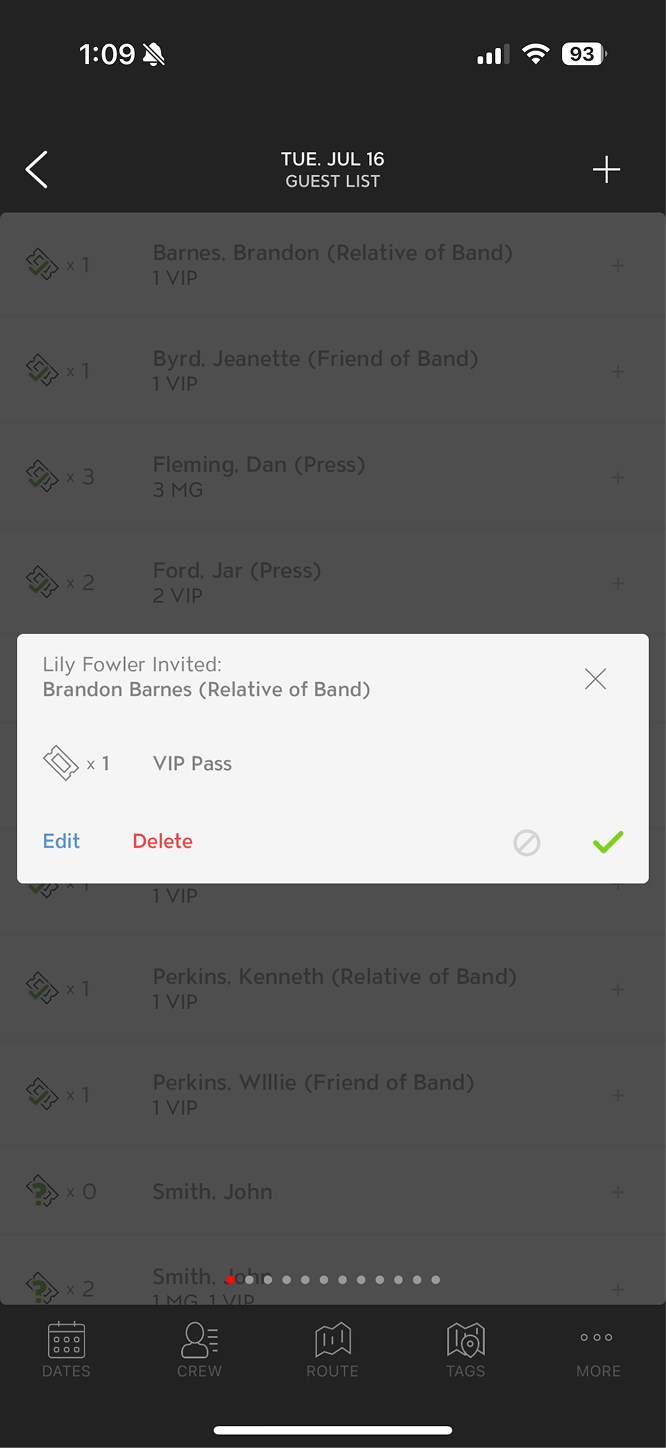
Original: Request popup
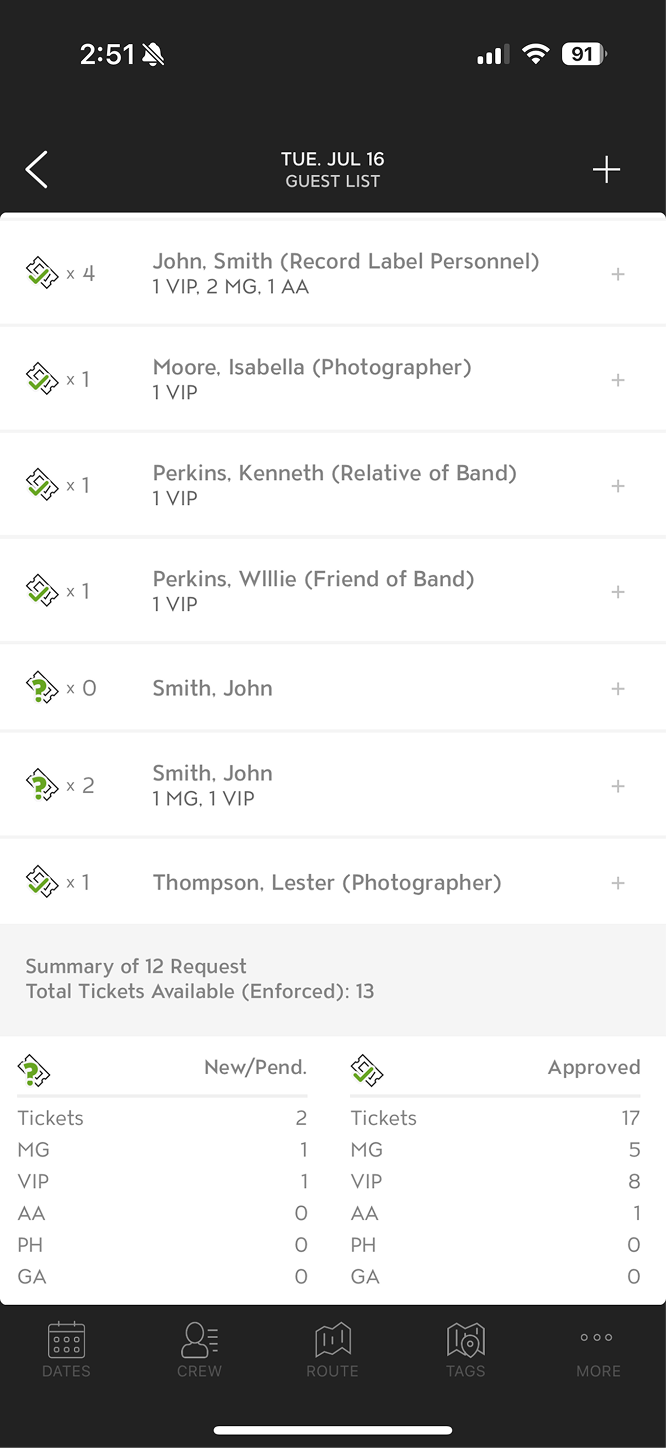
Original: Summary
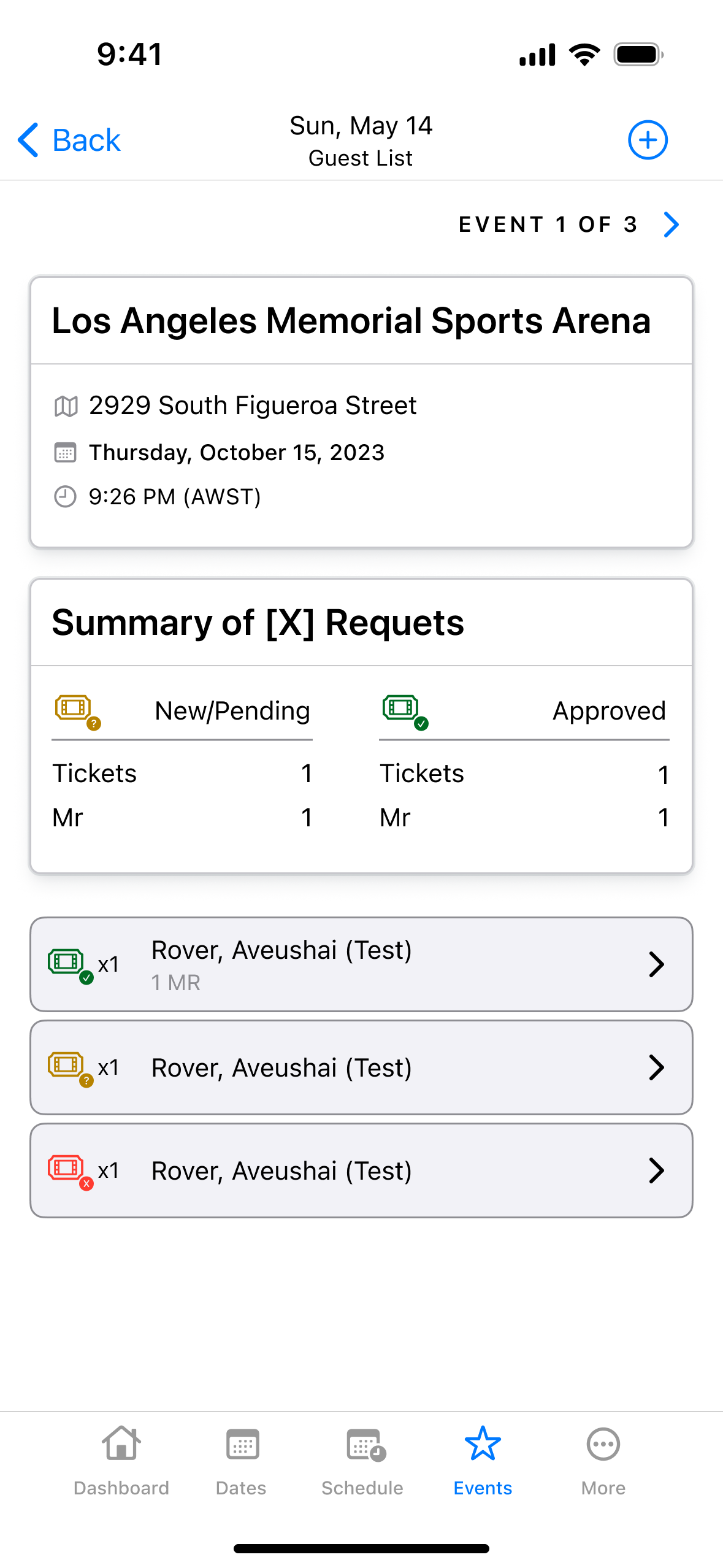
Draft: Summary
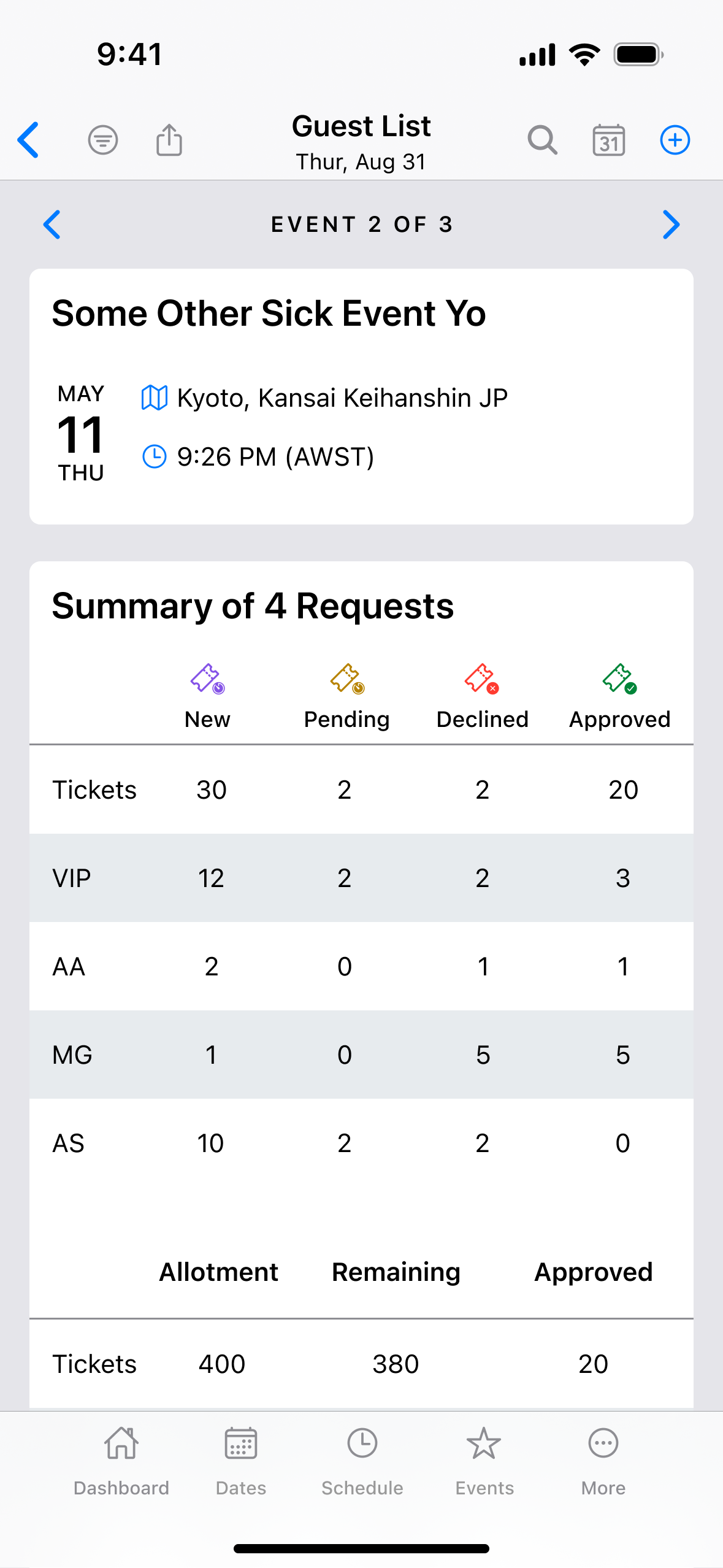
Final: Summary
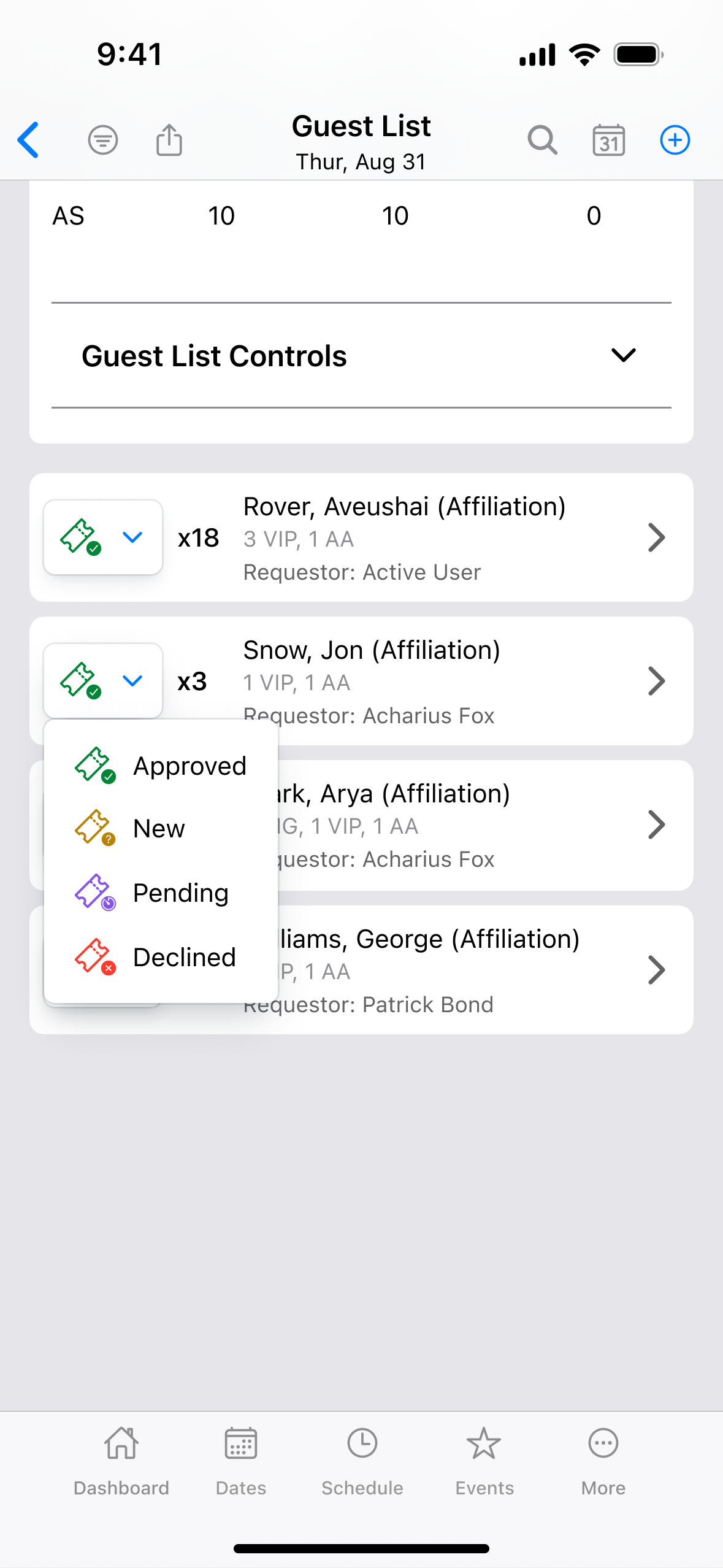
Final: Status menu
Stakeholder feedback
Because the executive team was watching this project closely, I spent as much time managing expectations and gathering input as I did designing. The Figma file collected over 1,000 comments from leadership and engineering before the MVP was signed off. Balancing that feedback against what was actually feasible for development, while keeping the redesign coherent, was as much a part of the job as the screens themselves.
From design to launch
Designs were mostly signed off in July 2024, with some changes along the way to account for development. From there, a small team took about 16 months to get the app out the door. After a limited beta, the app launched to the public in late November 2025.
There are a lot more features and UX improvements I'd love to show here, but this page would get very long. If you're curious about any of the changes I made, reach out. I've spent many hours thinking about this app, and I'm always happy to talk about what I learned.
Design systems work
As the product grew, I rebuilt the design system to keep pace, moving from manual styles to Figma's variables and tokens once they became available. By the end, the entire app could switch between mobile and tablet, or light and dark mode, in two clicks, with font size and spacing adjustable globally or per component. That structure also made the system easier to work with using AI tools, which became a growing priority as the design landscape shifted. The original file stayed with Eventric, so I rebuilt the released Dashboard in code using the same setup: a primitives collection, plus one collection that applies them. Try switching the modes below.
Master Tour Venue
Master Tour Venue started with our CTO. The goal was to connect venues to Master Tour so accurate information flowed between both systems. The proof of concept was a Tech Pack that venues could claim, then sign up for Master Tour Venue to keep their details in Master Tour correct.
Out-of-date venue info is a massive pain point in touring. Bands and crew each have their own riders and load-in requirements, and venue details go stale quickly.
A contract designer started on the project before I joined, and the green color scheme is their work. Once I came on, I oversaw the main designs for two pieces. The Tech Pack is a shareable link venues can send to touring crews. The Admin Dashboard is where venue admins sign in and keep their information up to date. Since I was also working on Master Tour Mobile, I built a design system using Material Design's Figma plugin, then used it to course-correct the scale, color, and layout of pages that had already been designed.
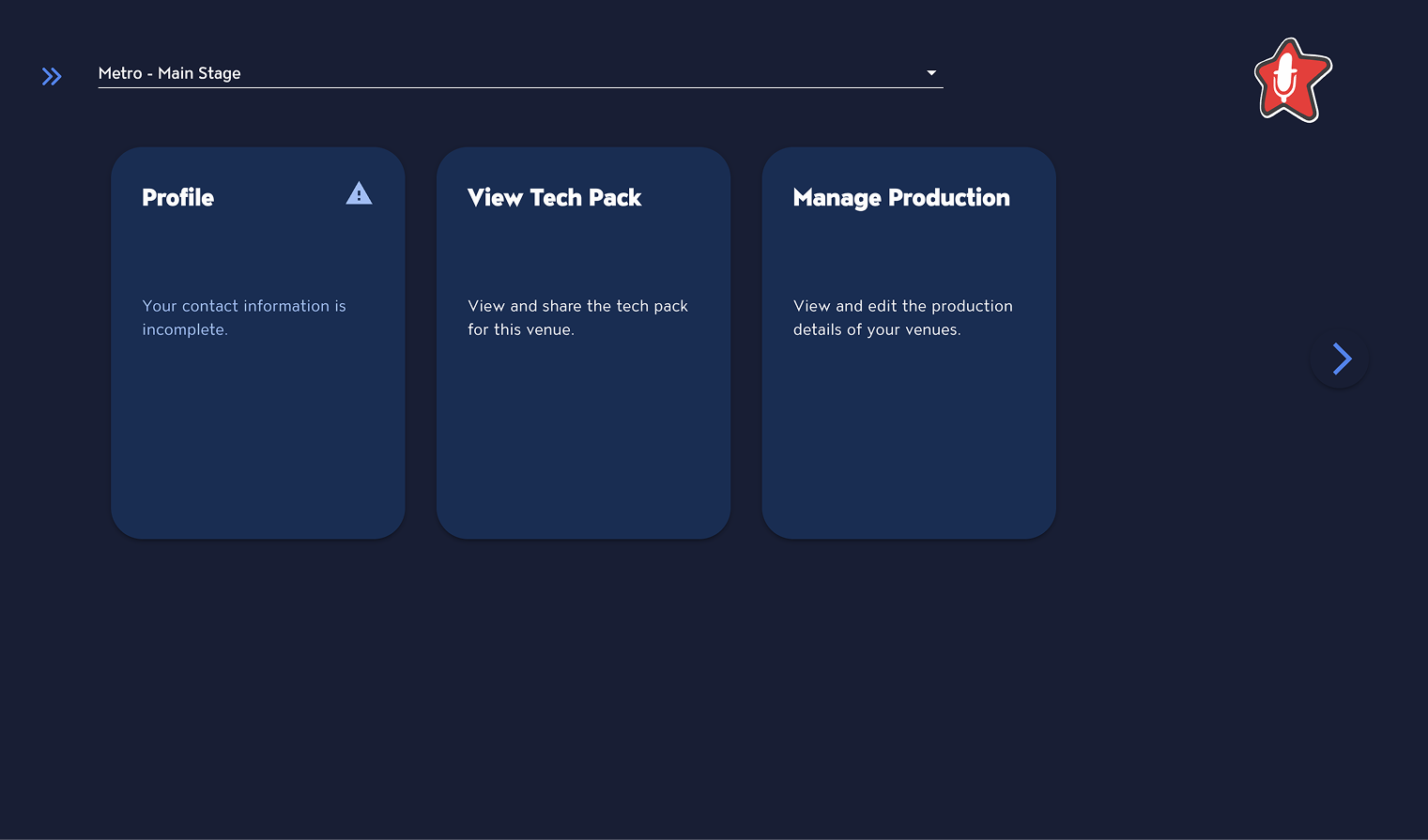
Proof of concept: Dashboard
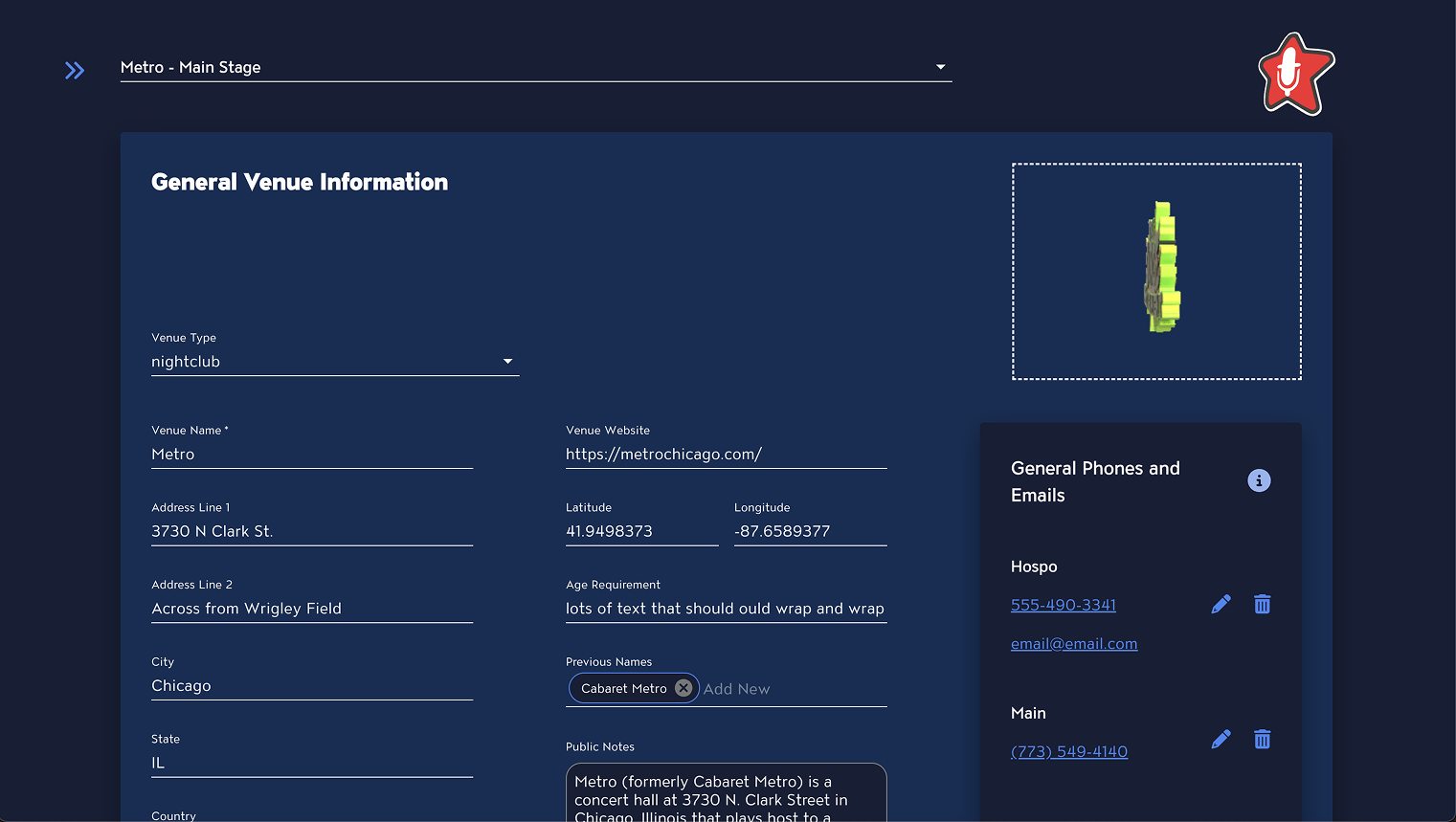
Proof of concept: Venue info
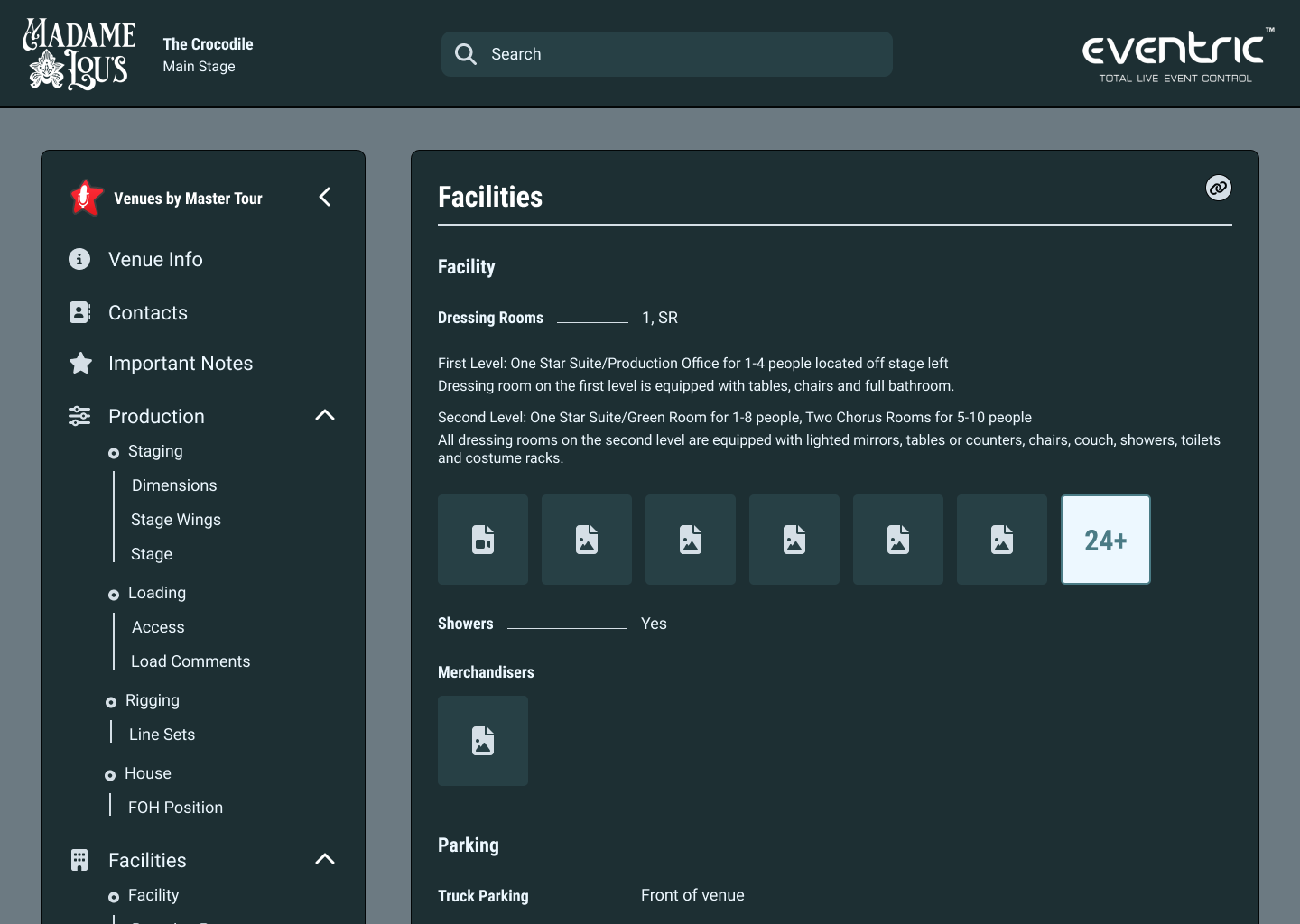
Contract designer: Tech Pack
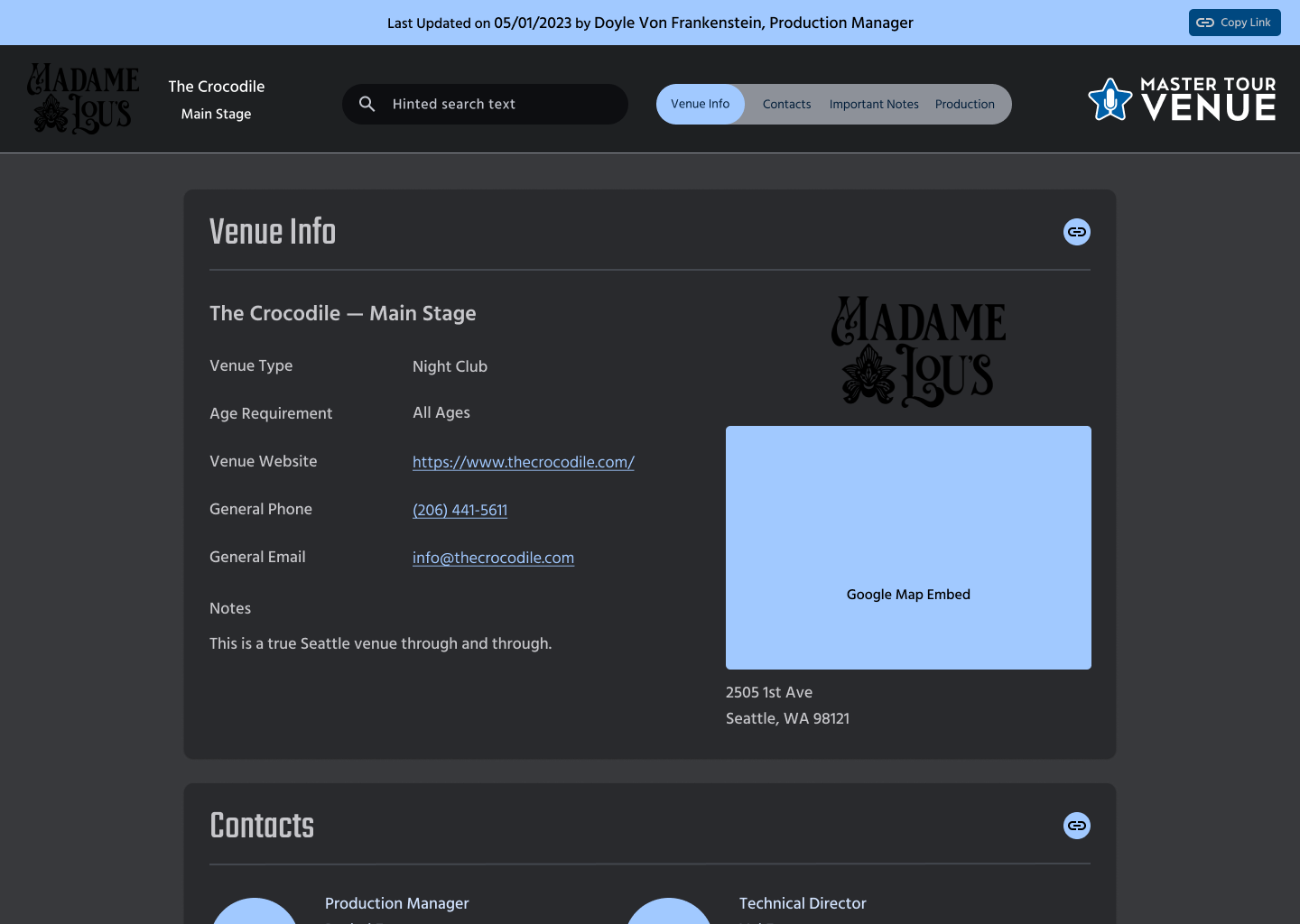
Redesign: Tech Pack
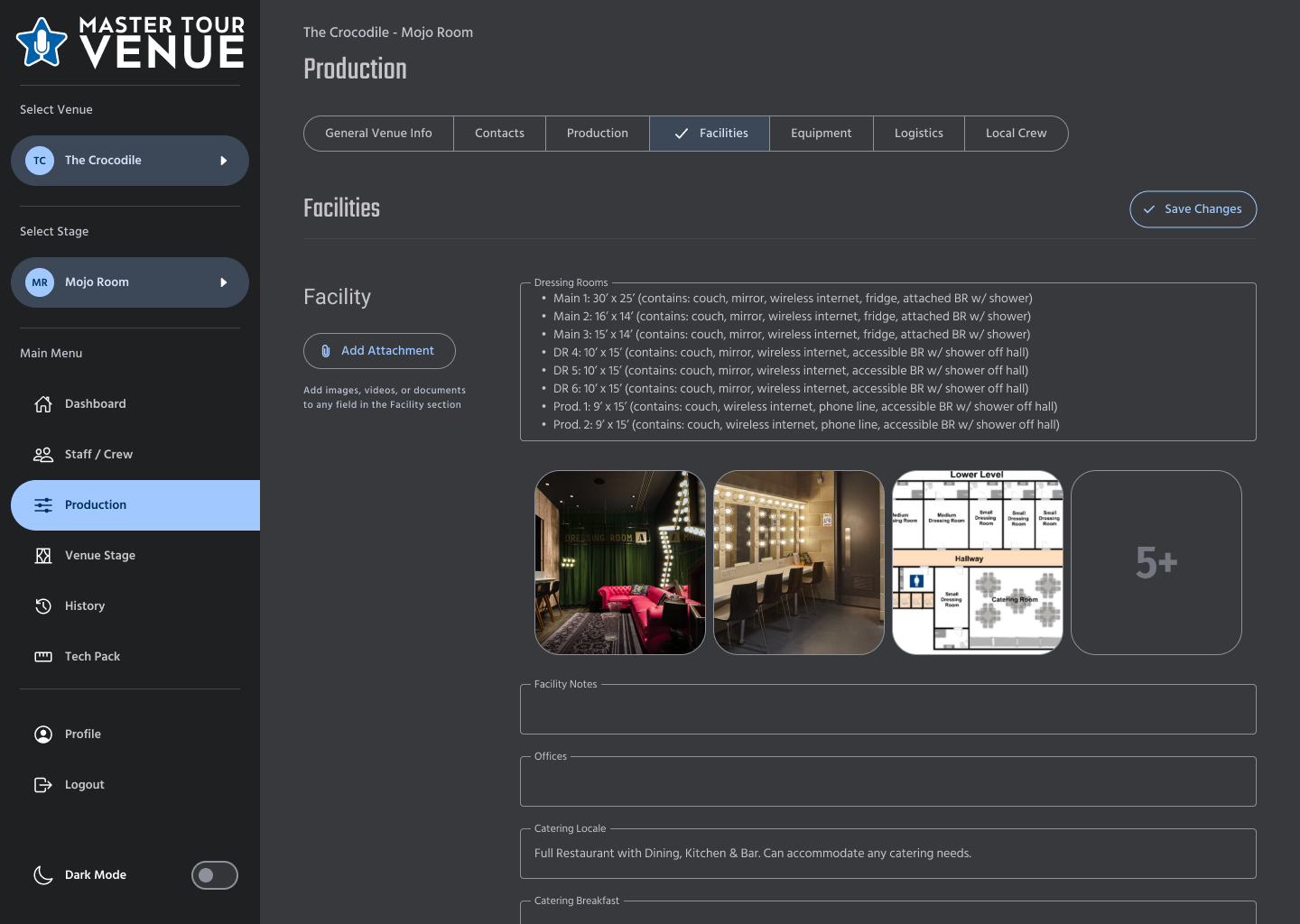
Redesign: Admin Dashboard
Other Eventric work
Logo redesign
The Master Tour logo needed to be brought into a modern era. The old star was also wider than it was tall, which made it hard to use in square spaces like a mobile app icon. I redrew the star to fix both, then carried it across the Master Tour, Master Tour × Eventric, and Master Tour Venue logos. I also tried over 500 font variants for the wordmark, but in the end the CEO decided to keep the original font.

Original: Master Tour

Redesign: Master Tour

Original: Master Tour × Eventric

Redesign: Master Tour × Eventric

Original: Master Tour Venue
Redesign: Master Tour Venue
Website
I redesigned the Master Tour website, its first update in seven years. The client list was out of date, and we wanted to refresh the brand for people who might be finding us for the first time. The website is also where tour managers sign up for their 14-day free trial, which makes it the first step of the journey for our paying customers. First impressions matter.
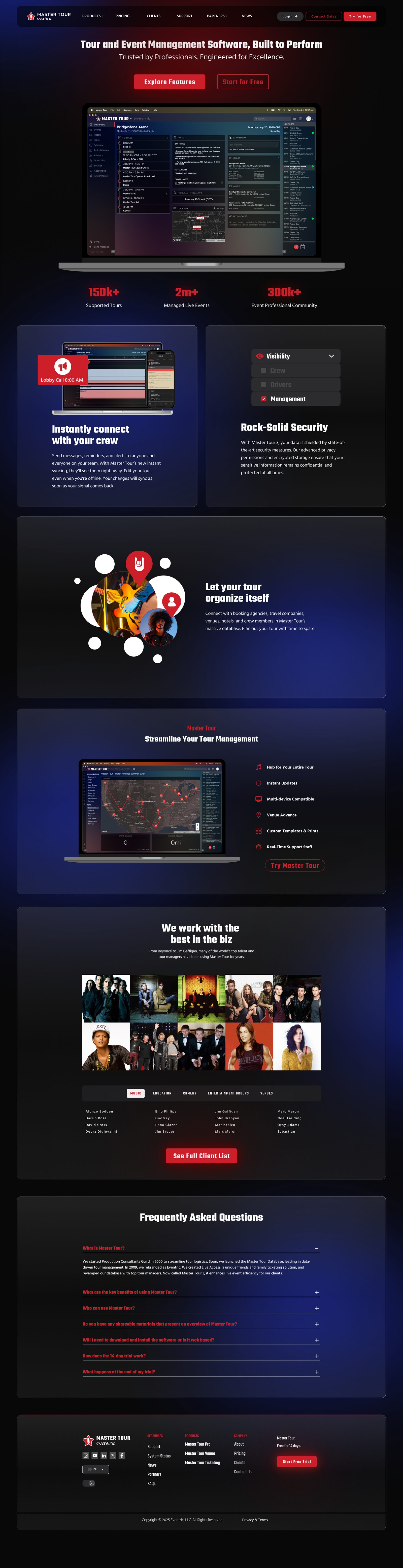
Desktop (scroll to see the full page)

Mobile